Slide preview
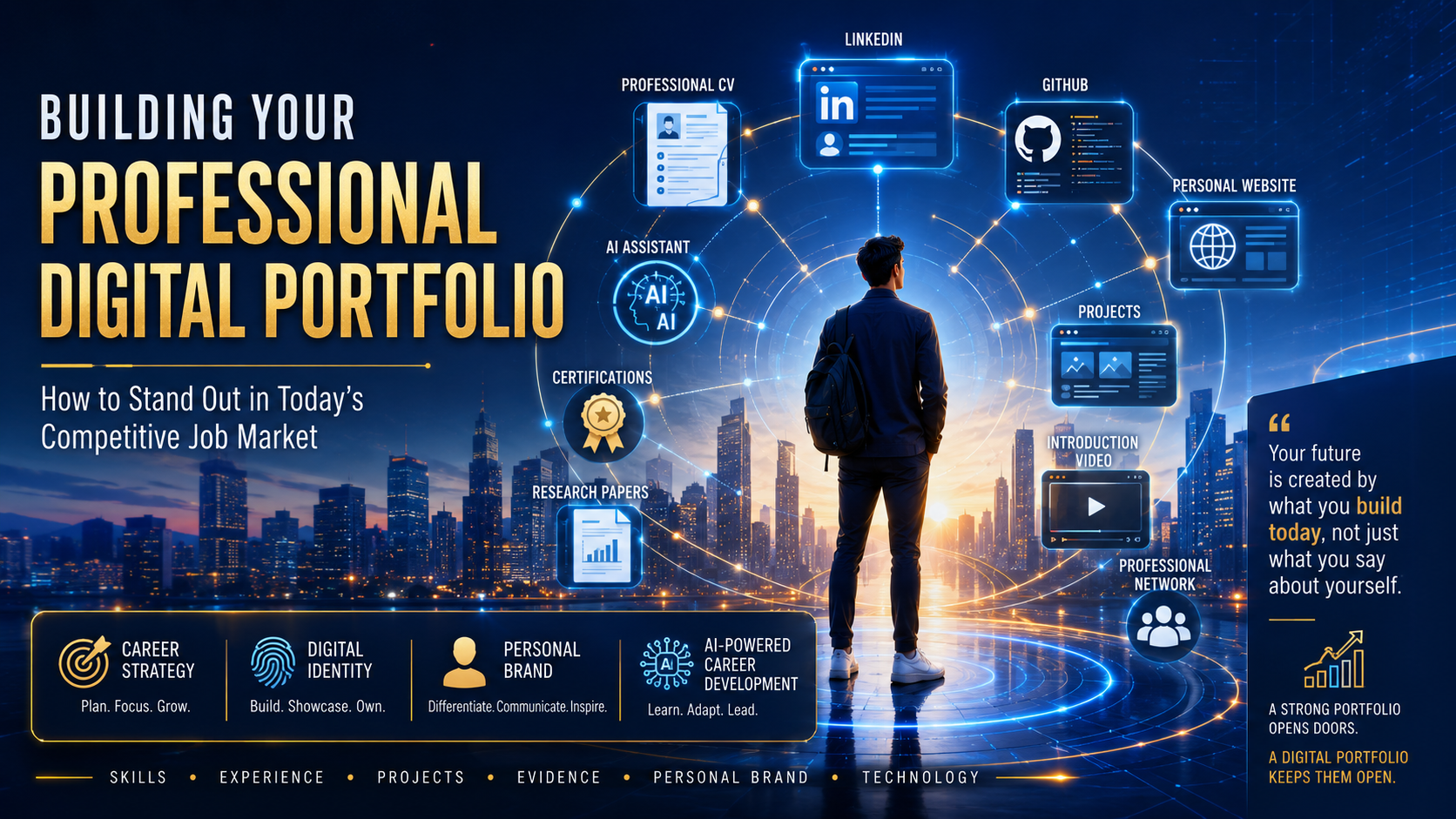
Create a complete online professional profile with a strong CV, tailored cover letter, LinkedIn profile, project evidence, short introduction video, personal website and live GitHub Pages link.
This workshop page is a practical build guide for anyone who wants to create or improve a complete digital profile for job applications. It supports three common situations: you already have a CV and want to improve it, you have a CV and need to tailor it for a specific job description, or you do not have a CV yet and need to build everything from the start.
A CV, cover letter, LinkedIn profile, completed project evidence, a short professional video, a personal portfolio website and a live online link.
Start at Step 1 and move in order. Each section explains what to prepare, what to create, and which AI prompt can help you produce a cleaner first draft.
Upload or paste your real details, CV, project notes and job descriptions. Ask AI to improve structure and wording, but never ask it to invent experience.
Use the slide deck for the full visual presentation, then follow the steps below to build your online professional profile from CV to published website.
The main page stays focused and easy to scan. Click the button to show all 14 slides, then click any slide to zoom and read it clearly.
Click any slide to open it in a full-screen reader view. Use the arrow buttons or keyboard arrows to move through the deck.
A CV on its own is rarely enough. Employers often receive high volumes of applications, spend only a short time on first review, and look for clear evidence before deciding who to shortlist.
Show the practical skills you can use, not just the tools you have heard of.
Explain where you applied those skills through jobs, projects, volunteering, study or personal work.
Use project examples to prove you can solve real problems and finish useful work.
Support your claims with documents, links, screenshots, repositories, metrics and certificates.
Make your digital presence clear, consistent and ready for employers to inspect.
Set up these accounts before you begin so you can create, publish and share your digital profile without getting stuck halfway through the process.
Use VARCS to tell your story powerfully, then use JOBS to align your portfolio with what employers are trying to accomplish.
Value you delivered: What value did you provide, and who did it help?
Actions you took: What practical steps did you take to deliver that value?
Results you achieved: What changed because of your work? Use numbers where possible.
Competencies you used: Which skills, tools, technologies or behaviours did the work demonstrate?
Proof of impact: Link to evidence such as a GitHub repo, project demo, certificate, testimonial, screenshot or metric.
Job to be done, Outcomes, Buying criteria, Solution you provide: position your portfolio around what employers value.
| Letter | Meaning | Portfolio Question |
|---|---|---|
| J - Job To Be Done | The real problem the employer needs solved. | What core challenge does this role or organisation need help with? |
| O - Outcomes | The result that matters most to the employer. | How do your projects show faster, safer, clearer, better or more reliable outcomes? |
| B - Buying Criteria | The standards employers use to decide who is credible. | Which skills, experience, communication and evidence prove you meet the criteria? |
| S - Solution You Provide | Your skills, projects and portfolio as the answer. | How do your CV, LinkedIn, GitHub and project evidence show you are the solution? |
"Built a web app. Used Python and Django. Worked on a team project. Deployed on AWS."
Issue: Lists activity, but does not explain value, action, result, competencies or evidence.
"Built a full-stack task-management app with secure authentication, reducing user engagement drop-off by 40% and helping 5,000+ users manage tasks more efficiently."
Benefit: Shows value, action, measurable result, competencies and supporting evidence.
Your CV is the foundation for everything else on this page. Build it first, because the same information will be reused for your cover letter, LinkedIn profile, project summaries, video script and portfolio website.
Before using the prompts, collect your education, work experience, volunteering, certificates, technical skills, completed projects and the job description if you are applying for a specific role.
Upload your CV and ask AI to improve clarity, structure, ATS keywords and evidence while keeping the facts honest.
Upload your CV plus the job advert and ask AI to tailor your summary, skills, projects and wording to that specific role.
Paste your background details and ask AI to build a complete first draft that you can review, correct and improve.
If you are applying for a different job, update your CV to match that job. Read the job description carefully and make sure your skills, experience, projects and keywords match the role.
What this prompt does: Use this if you do not have a CV yet. Paste your education, skills, work experience, volunteering, certificates, projects and career goal before running it.
What this prompt does: Use this when you already have a CV and want a stronger version. Upload or paste your current CV first.
What this prompt does: Use this when applying for a real job. Upload your CV and paste the full job description so the CV matches the employer's wording and priorities.
Your cover letter should connect your CV to the specific job you are applying for. It explains why you are interested, which requirements you match, and what value you can bring to the employer.
Do not use the same cover letter for every job. Upload your CV and the new job description, then create a fresh cover letter that matches the employer's requirements.
What this prompt does: Use this after your CV is ready. Upload your CV and paste the job description so the letter is specific, not generic.
What this prompt does: Use this when you want AI to update your CV and create the matching cover letter in one workflow.
Your LinkedIn profile turns your CV into a visible professional profile. Once your CV is ready, use it as the source document for your headline, About section, experience, skills, Featured section and project links.
| Component | Standard Strategy |
|---|---|
| Profile Imagery | Clear lighting, professional clothing, and neutral backgrounds. |
| Headline Formatting | Incorporate explicit keywords rather than simple roles. (e.g., Cyber Security Graduate | Network Security Enthusiast | Problem Solver) |
| About / Executive Summary | Define who you are, what technical areas you specialize in, and your career objectives. |
| Featured Selection Showcase | Pin copies of your core CV, link your personal portfolio URL, and feature your introduction videos. |
What this prompt does: Use this after your CV is ready. Upload your CV and any target job description, then ask AI to create LinkedIn-ready text.
Projects prove what you can do. A project can come from work, college, volunteering, personal learning, coding practice, systems setup, data analysis, design, community work or any completed task that shows skill and responsibility.
Collect screenshots, files, certificates, GitHub links, notes, outcomes, feedback and any numbers that show results. If you do not have metrics, describe the problem, action and learning clearly.
What this prompt does: Use this to turn rough project notes into polished portfolio case studies for your website, LinkedIn or GitHub README.
A short video helps employers hear your communication style before interview. Keep it simple: introduce yourself, explain your target role, mention key skills, show one or two examples of evidence, and end with a confident thank you.
Perfect for direct LinkedIn messaging or quick network outreach.
Designed for recruiters and introductory application steps.
An in-depth presentation suitable for embedding directly on your portfolio website.
What this prompt does: Use this after your CV and project notes are ready. AI will create video scripts you can practise and record.
Your portfolio website is the central hub for your digital profile. It should bring together your CV summary, skills, project evidence, LinkedIn link, YouTube intro video, certificates and contact details in one clean online page.
[Home / Bio] ➔ [Detailed Skills Matrix] ➔ [Project Case Study Hub] ➔ [Video Pitch Embeds] ➔ [Asset Vault Downloads]
What this prompt does: Use this after you have your CV, project notes, LinkedIn URL and YouTube video link. AI will create the website structure and page content.
Keep your professional assets organised so you can easily update applications, share evidence and avoid losing important files. This folder is not something you send to every employer; it is your private working library.
Once your HTML website is ready, GitHub Pages can publish it online for free. This gives you one live link you can add to your CV, LinkedIn profile, cover letter and job applications.
Follow these steps carefully to create your free account, set up your project repository with an open source licence, upload your HTML file, and get your live website link.
myname-portfolio). This will form your web address link. Click Continue.n if asked whether you want to receive email product announcements.my-website).index.html (in all lowercase, without spaces). GitHub Pages looks for this exact filename to serve as your home page.
index.html file, and drag it directly into the grey browser upload area.index.html from your computer, and click Open.None and choose main.my-portfolio.index.html, rename it to index.html before publishing.What this prompt does: Use this when your website files are ready. AI will help you check file structure and write a clear README before publishing.
AI tools can help you draft, organise, review and improve your portfolio faster. The key rule is simple: use AI to enhance your own work, not to invent experience or replace your judgement.
Use AI to create first drafts of CV summaries, LinkedIn text, project descriptions and video scripts.
Ask AI to make wording clearer, more specific, more concise and better aligned to the job description.
Use AI to review gaps, missing evidence, weak claims, spelling, tone and ATS keyword alignment.
What this prompt does: Use this after you have several assets ready. AI will review the full digital profile and find gaps before you share it.
Your online presence is your modern calling card. When an employer opens your links, they should see one consistent story across your CV, LinkedIn profile, projects, video, website and GitHub Pages link.
What this prompt does: Use this near the end to check whether all your public links look consistent, professional and relevant to your target role.
Run through this quick validation checklist before submitting any digital portfolio assets to recruiters:
| Letter | Core Rule | Action Validation Requirement |
|---|---|---|
| J | Job Match | Ensure the core requirements of the job description match your stated technical skills. |
| O | Optimise Portfolio | Tailor your profile summaries, cover letters, and pinned case studies to target the employer's specific field. |
| B | Back It Up | Substantiate your claims with clear evidence, metrics, and data stored in your project folders. |
| S | Submit Professionally | Double-check that all download permissions are set correctly, your links work as intended, and your files load properly. |
Build your profile in order. Do not wait until everything is perfect; create the first version, check every link, then improve it as your evidence becomes stronger.
Create, improve or tailor your CV so it becomes the source document for everything else.
Create a cover letter that matches the job description and explains your fit clearly.
Use your CV to build a strong headline, About section, skills list and Featured section.
Document completed work with objectives, actions, tools, results and supporting evidence.
Record a short professional introduction and upload it to YouTube as Unlisted.
Create a simple portfolio website that brings your CV, projects, video and links together.
Upload the website to GitHub Pages, test the live link and add it to your applications.
What this prompt does: Use this if you want a simple daily schedule for completing the full profile from CV to live website.